
Reporting SSI Wages: Keep Paystubs And Reporting Proof Together
A monthly wage report is easier to follow when the paystubs, employer notices and reporting result stay together. Use this guide to organize those records without assuming payroll reporting covers every job.
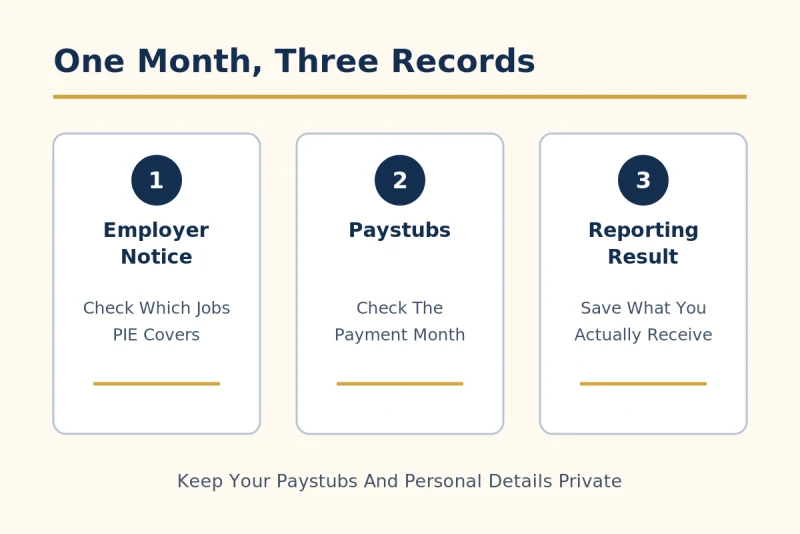 AI-assisted editorial illustration.
One Month, Three Records
Check the employer notice, collect the paystubs and save the actual reporting result.
Use The Monthly RecordStart With Your SSI Reporting Instructions
This guide is for organizing wage reports for Supplemental Security Income (SSI). It does not calculate your payment or decide how work affects eligibility. If you receive SSDI as well, ask SSA which reporting instructions apply to each benefit. Our working while receiving disability guide explains why the programs need separate attention.
Keep your latest reporting instructions beside your paystubs. A useful first question is: “Which employers and wage earners must I report for?” SSA’s earnings guidance explains that someone else’s earnings can matter, including a spouse living with you or a parent of a child receiving SSI. A representative payee has reporting responsibilities too. Ask SSA about the people relevant to your record.
Check Each Employer Against A PIE Notice
The Payroll Information Exchange (PIE) can send wage information to SSA through a participating payroll data provider. Giving permission is not, by itself, proof that every employer’s wages are being received.
SSA’s PIE guidance says to continue reporting monthly wage changes unless SSA sends a notice explaining that it is receiving the information. That notice identifies participating employers and any change in your responsibilities. If only some employers participate, continue reporting wages for the others.
Keep notices about starting or stopping PIE reporting with the relevant employer’s records. Even when all employers participate, you still need to report other required changes, including starting or stopping a job, a new employer, and changes in other income, resources or living arrangements. If information on a notice looks wrong, contact SSA promptly; do not silently change your own reporting plan.
Collect The Paystubs For The Report Month
Use the month in which wages were paid. SSA’s electronic reporting instructions call for all paystubs for wages paid in the report month, including those from multiple employers. Gross wages mean pay before taxes and other deductions; a bank deposit alone may show a different amount.
Sort the stubs by employer and payment date before beginning. The reporting method matters: telephone reporting uses a monthly gross total, while the app and online service take paystub information as described in SSA’s current instructions. Use the method SSA has made available for your situation. If a stub is missing or a payment is unclear, ask how to report it instead of guessing.
Self-employment, other income and work expenses need separate attention. This employee-paystub organizer does not replace their reporting instructions. SSA’s earnings guide includes overtime, vacation and bonus paystubs among the records it generally needs when verifying earnings.
Report Early And Record What Happened
SSA’s monthly income page directs monthly wage reporting by the sixth day of the following month. Its electronic-tools guidance says the prior month’s wages can still be reported after the first six days. If you miss that period, follow up promptly rather than waiting for another month or assuming reporting has closed.
Changes such as starting or stopping work should be reported right away. The earnings guidance also gives an outside limit of the tenth day of the month after the change. Keep that change-reporting duty separate from your monthly wage routine. These instructions do not make a late report timely or settle a dispute about a deadline.
Begin at the official SSA pages linked here and follow the instructions for your available service. If an electronic option is unavailable, contact your local SSA office about another method. For an office visit, SSA’s earnings guide says an appointment is required.
Save any confirmation actually supplied. In your private notes, distinguish a report you prepared, a report you sent and a confirmation you received. A receipt is not a decision about your benefit amount. If an error appears or the result is uncertain, note it and ask SSA what to do next.
Your Private Monthly Reporting Record
Print one record for each report month. Keep the detailed paystubs and any SSA notices securely with it. These optional prompts are an original organizational aid, not an SSA form or proof of filing.
Report Month And Employers: ____________________
Date, Method And Confirmation Location: ____________________
Missing Item Or Question To Ask SSA: ____________________
Do not put Social Security numbers, account passwords or wage documents into this website’s chat. This page cannot send a wage report to SSA. For the broader difference between the benefits, see SSDI and SSI explained.
Sources And Scope
Sources checked October 24, 2026: SSA Monthly Wages And Other Income; Electronic Wage Reporting Tools; Payroll Information Exchange; Reporting Your Earnings.
Prepared with AI assistance and checked against the linked official sources; no attorney review is claimed. General administrative information, not individual legal or financial advice. Glassman Disability is not SSA. Follow SSA’s instructions for your own benefits and circumstances.
Use the printable prompts privately. This page does not collect your notes or assess eligibility. Checklist selections are not saved by this page.